
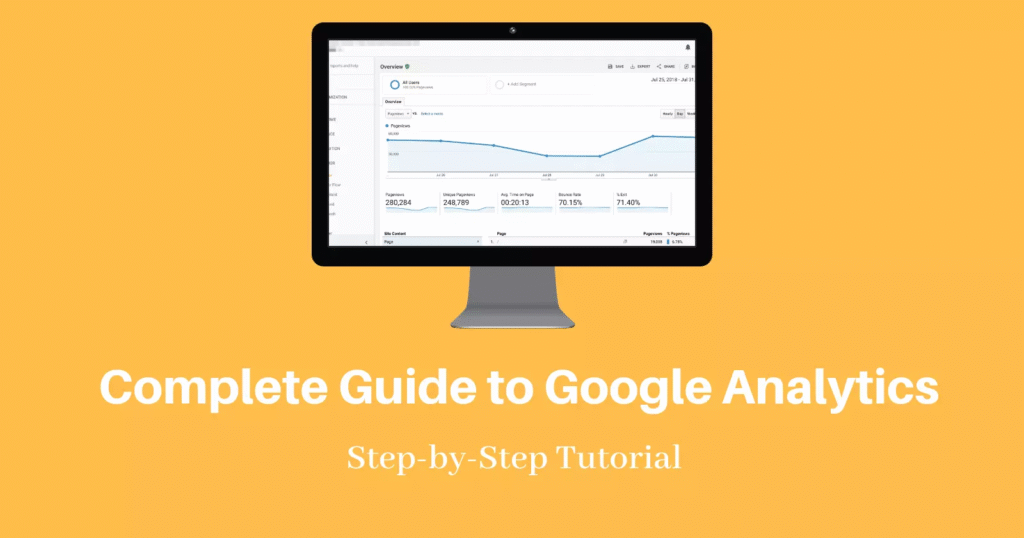

If you own a website, understanding your visitors is essential for long-term success. Whether you run a personal blog, an e-commerce store, or a business website, knowing how people interact with your content helps you make informed decisions. This is where Google Analytics becomes an invaluable tool.
Google Analytics is one of the world’s most popular website analytics platforms. It provides detailed information about your website traffic, user behaviour, marketing performance, and conversions. Instead of making assumptions, you can use real data to understand what is working and what needs improvement.
In 2026, Google Analytics offers powerful AI-driven insights, privacy-focused reporting, and advanced tracking features that help website owners improve user experience and achieve their business goals. This guide explains everything you need to know to get started.
What Is Google Analytics?
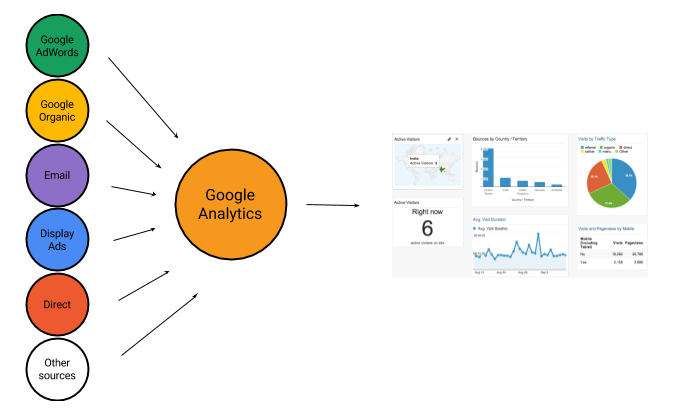
Google Analytics is a free website analytics platform developed by Google. It collects anonymous data about visitors who interact with your website and transforms that information into easy-to-understand reports.
With Google Analytics, you can monitor how visitors discover your website, which pages they visit, how long they stay, what devices they use, and whether they complete important actions such as making a purchase or submitting a contact form.
This information helps businesses and content creators improve website performance while making better marketing decisions.
Why Every Website Owner Should Use Google Analytics
Running a website without analytics is like driving without a map. You may be moving forward, but you won’t know whether you’re heading in the right direction.
Google Analytics helps website owners answer important questions, including:
- Where do visitors come from?
- Which pages receive the most traffic?
- Which marketing channels perform best?
- How many users return to the website?
- Which pages cause visitors to leave?
- What content keeps people engaged?
These insights help you improve your website, increase traffic, and provide a better experience for your audience.
Key Features of Google Analytics
Google Analytics includes a wide range of features designed to help website owners understand visitor behaviour.
Website Traffic Reports
Monitor how many people visit your website every day, week, or month. You can also identify traffic trends over time.
Audience Insights
Understand your visitors through demographic information, geographic location, devices, operating systems, browsers, and languages.
Real-Time Reporting
View live activity on your website as visitors browse your pages.
Event Tracking
Measure user interactions such as video plays, downloads, button clicks, scroll depth, and form submissions.
Conversion Tracking
Track valuable actions like purchases, newsletter subscriptions, account registrations, and contact form completions.
AI-Powered Insights
Google Analytics automatically detects unusual traffic patterns and provides recommendations that help improve website performance.
How Google Analytics Works
Google Analytics works by placing a small tracking tag on your website. Every time someone visits your site, anonymous information is collected and sent to your Analytics account.
The platform organises this information into reports that reveal:
- Visitor numbers
- Popular pages
- Traffic sources
- User engagement
- Device usage
- Conversion performance
Instead of guessing what your audience wants, you can make decisions based on reliable data.
Setting Up Google Analytics
Getting started is easier than many beginners expect.
First, create a Google Analytics account using your Google profile. Next, add your website as a new property and install the tracking code using your website platform or Google Tag Manager.
Once everything is connected, Google Analytics begins collecting visitor data automatically.
Most website builders, including WordPress, Shopify, Wix, and Squarespace, offer simple integration methods that require little technical knowledge.
Understanding the Most Important Metrics
Beginners often feel overwhelmed by the number of reports available. Fortunately, focusing on a few core metrics makes learning much easier.
| Metric | What It Measures | Why It Matters |
|---|---|---|
| Users | Number of unique visitors | Measures audience growth |
| Sessions | Total visits | Shows website activity |
| Views | Number of page views | Identifies popular pages |
| Engagement Rate | User interaction | Indicates content quality |
| Average Engagement Time | Time visitors spend | Measures visitor interest |
| Conversions | Completed goals | Tracks business success |
| Traffic Source | Visitor origin | Evaluates marketing performance |
Monitoring these metrics regularly helps you understand your website’s strengths and weaknesses.
Understanding Traffic Sources
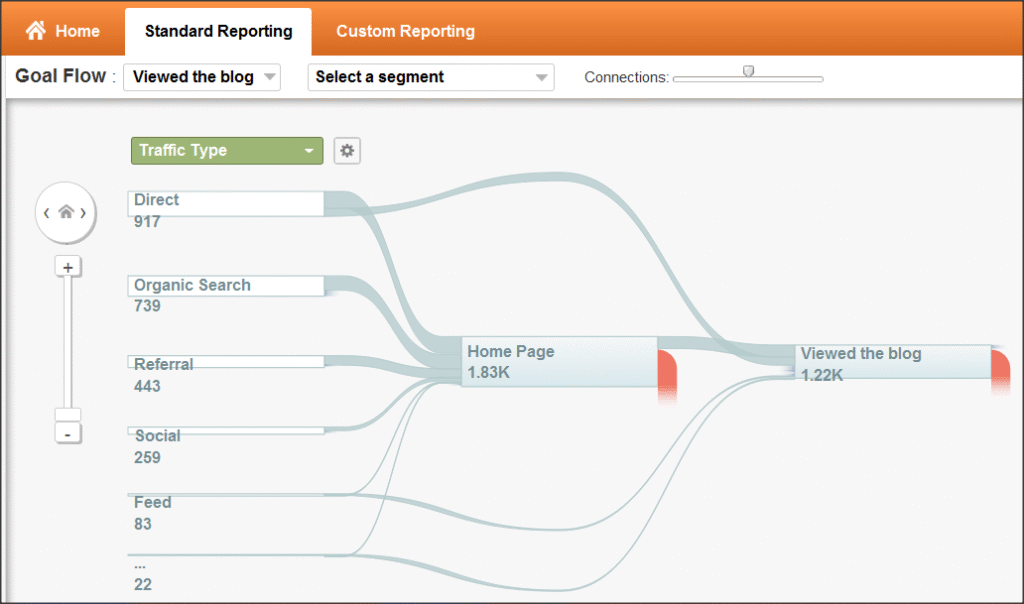
Google Analytics categorises visitors based on how they arrive at your website.
Organic Search
Visitors who discover your website through search engines like Google or Bing.
Direct Traffic
Users who type your website address directly into their browser or use saved bookmarks.
Referral Traffic
Visitors who click links from other websites.
Social Media
Traffic generated through platforms such as Facebook, Instagram, LinkedIn, Pinterest, or X.
Email Marketing
Visitors arriving from newsletters and email campaigns.
Paid Advertising
Traffic generated through Google Ads and other online advertising campaigns.
Understanding these channels allows you to invest more in the strategies delivering the best results.
How Google Analytics Improves SEO
Google Analytics plays an important role in search engine optimisation.
It helps identify pages receiving strong organic traffic and highlights content that needs improvement. You can analyse visitor engagement, monitor landing pages, evaluate mobile performance, and discover opportunities to optimise your content.
When used alongside SEO tools, Google Analytics becomes a valuable resource for improving search visibility and user experience.
Benefits for Different Types of Website Owners

Google Analytics is useful regardless of the type of website you manage.
Bloggers can identify their most popular articles and understand reader behaviour.
Small businesses can measure enquiries, phone calls, and customer interactions.
Online stores can monitor product performance, shopping behaviour, and completed purchases.
Digital marketers can evaluate campaign success and calculate return on investment more accurately.
Educational websites can understand learner engagement and improve educational content.
Common Mistakes to Avoid
Many beginners install Google Analytics but never review their reports. Analytics only becomes valuable when you regularly analyse your data and make improvements.
Another common mistake is focusing only on visitor numbers. High traffic is positive, but engagement and conversions often matter much more.
Ignoring mobile visitors is another issue. Since many users browse websites on smartphones, your website should perform well across all screen sizes.
Finally, avoid making decisions based on a single day’s data. Looking at weekly and monthly trends provides a much clearer picture of website performance.
Best Practices for Getting Better Results
Using Google Analytics effectively requires consistency.
Review your reports regularly rather than waiting until problems appear.
Set meaningful goals that align with your business objectives.
Track important events such as purchases, downloads, and contact form submissions.
Compare performance over different time periods to identify long-term trends.
Use insights from Analytics to improve content, optimise navigation, and enhance the overall user experience.
Google Analytics Trends in 2026
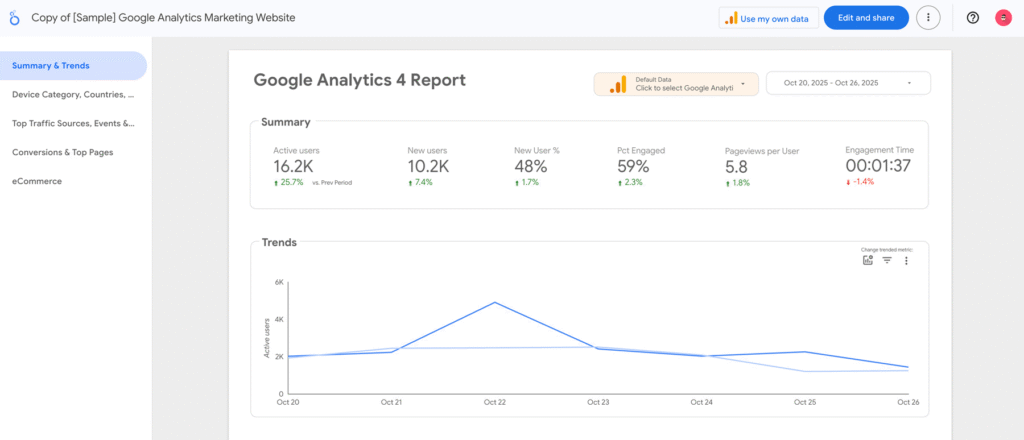
Google Analytics continues to evolve alongside changing privacy standards and advances in artificial intelligence.
Modern reporting relies more on first-party data while respecting user privacy. AI-powered insights help businesses identify trends, predict customer behaviour, and uncover optimisation opportunities more quickly than ever before.
Cross-device tracking has also improved, allowing website owners to better understand how visitors move between smartphones, tablets, laptops, and desktop computers.
As digital marketing becomes increasingly data-driven, Google Analytics remains one of the most valuable tools available for website owners.
Frequently Asked Questions (FAQs)
1. Is Google Analytics free to use?
Yes. Google Analytics offers a free version that includes powerful reporting features suitable for most websites. Larger organisations can also choose enterprise solutions for more advanced needs.
2. Can beginners learn Google Analytics easily?
Yes. Google Analytics is designed for users of all experience levels. Once installed, the dashboard provides straightforward reports that help beginners understand website traffic and visitor behaviour.
3. What information does Google Analytics track?
Google Analytics tracks website visitors, traffic sources, page views, engagement, conversions, user devices, locations, events, and many other performance metrics.
4. Why is Google Analytics important for SEO?
Google Analytics helps website owners understand how visitors find and use their content. By analysing traffic, engagement, and landing pages, you can improve your SEO strategy and create a better experience for users.