
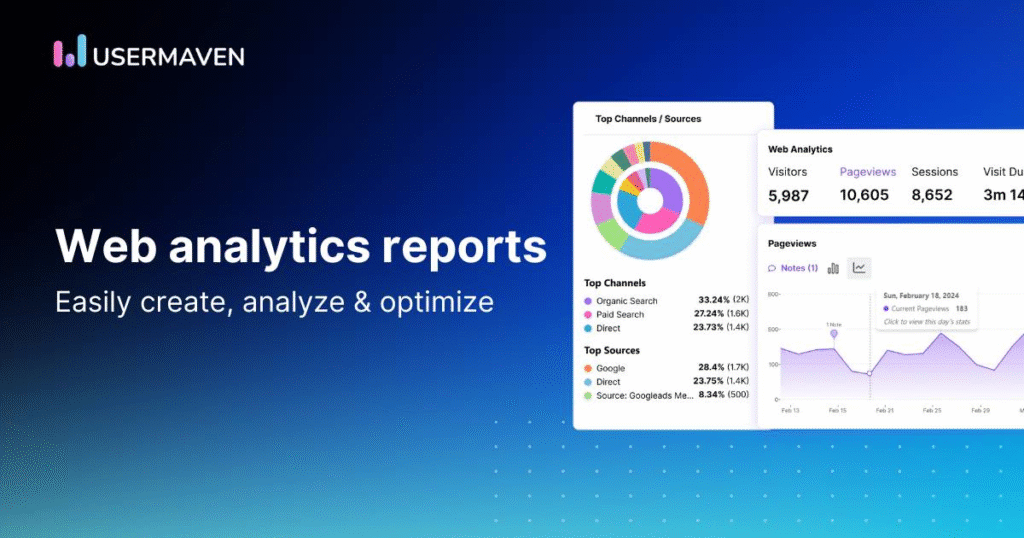

Analytics reports are more than just numbers on a screen. When read correctly, they tell you exactly what your audience wants, how they behave, and what actions will help you grow faster. Whether you’re analyzing website traffic, campaign performance, or user journeys, understanding analytics is the key to making confident decisions. Let’s break it down in a simple, detailed way that even beginners can follow.
1. Start With a Clear Purpose
Every analytics report should begin with a simple question:
“What am I trying to understand or measure?”
Without a goal, analytics looks confusing. But once your goal is clear, every number starts making sense.
Examples of clear objectives:
- Identify why traffic increased or decreased last week
- Check which campaign is bringing quality visitors
- Understand which pages users love and which ones they ignore
- Track if your content is converting readers into customers
- Improve user experience across pages
When your purpose is clear, the entire report becomes easier to read and interpret.
2. Understand the Core Metrics in Depth
Analytics tools show many metrics, but a pro focuses on insights that matter. Here’s a deeper look at the most important ones:
Users / Unique Visitors
This shows the number of individual people visiting your site. If users are growing steadily, it means your brand visibility is improving.
If users drop suddenly, it could mean:
- A technical issue
- Poor promotion
- Weak SEO performance
- Seasonal changes
Sessions
A session tells you how many times people return.
More sessions = higher interest.
If sessions per user are low, you may need to improve engagement or content quality.
Pageviews
Pageviews help you understand which content attracts the most attention.
A high number is good, but always check engagement.
If pageviews are high but time on page is low, users may not like what they see.
Bounce Rate
Bounce rate shows how quickly users leave without interacting.
Low bounce rate is ideal, but if it’s high, it usually means:
- The page loads slowly
- Content doesn’t match user intent
- Design is confusing
- Call-to-action is weak
Average Time on Page
This tells you whether visitors are reading your content or scrolling away.
More time usually signals:
- Useful content
- Clear structure
- Strong readability
Conversion Rate
The most important metric. It shows how many users completed your goal.
For example:
- Making a purchase
- Filling a form
- Signing up for a newsletter
- Clicking an ad
A low conversion rate means you need to improve your landing page, CTAs, or offer.
3. Analyze Traffic Sources Deeply
Understanding where your visitors come from helps you focus your efforts in the right direction.
Organic Search
Visitors who found you through Google.
High organic traffic means strong SEO.
If it’s dropping, your keywords or rankings might be falling.
Direct Traffic
People who typed your URL directly.
This shows brand recognition.
If direct traffic grows, your brand awareness is increasing.
Social Traffic
Visitors from platforms like Instagram, Facebook, Youtube, Pinterest.
Good for engagement-based businesses.
Referral Traffic
Traffic coming from other websites.
This helps you understand which partnerships or backlinks are working.
Paid Traffic
Traffic from ads.
If paid traffic isn’t converting, your ad or landing page needs improvement.
4. Look for Patterns and Long-Term Trends
A single day’s data never gives the full picture. Professionals compare performance over time.
Compare trends such as:
- Week vs Week
- Month vs Month
- Quarter vs Quarter
- Year vs Year
Trends reveal:
- Which pages grow consistently
- Seasonal performance changes
- Drop-offs caused by updates
- Which marketing channels are improving or declining
This long-view perspective helps you make strategic decisions.
5. Study User Behavior & Flow Reports
User behavior analytics shows how people move through your website.
Heatmaps
Heatmaps show where users click, scroll, or ignore sections.
This helps you understand which parts attract attention.
Scroll Maps
Shows how far users scroll. If most users drop before reaching important content, you may need to restructure the page.
User Flow / Behavior Flow
This reveals the path users follow.
For example:
Homepage → Product Page → Checkout → Thank You Page
If many users stop at checkout, there may be friction or trust issues.
Exit Pages
Shows where users leave your site. If important pages have high exit rates, they may need better design or content.
6. Identify Performance Issues Early
Analytics reports help you detect problems before they harm your results.
Common issues include:
- Sudden drop in traffic
- Slow loading pages
- Poor mobile performance
- High bounce rate on key pages
- Low conversions despite high traffic
- Broken links or errors
- Campaigns not delivering expected results
Fixing these early protects your long-term growth.
7. Turn Analytics Into Actionable Steps
Understanding analytics means nothing if you don’t act on it. Use insights to make real improvements.
Examples of data-driven actions:
- Rewrite pages with high bounce rate
- Improve CTAs on low-conversion pages
- Boost SEO for high-potential keywords
- Create more content on topics that perform well
- Fix slow or broken pages
- Shift ad budget toward profitable campaigns
- Redesign confusing layouts
- Strengthen your internal linking
Data tells you what to fix. Action turns data into results.
8. Review Reports Regularly
Professionals don’t check analytics once a month.
They review it regularly to stay on top of performance.
Ideal review frequency:
- Daily → Traffic, campaign checks
- Weekly → Trends and behavior
- Monthly → Strategy decisions
- Quarterly → Business performance and goals
Regular reviewing helps you stay ahead of competitors.
Final Thoughts
Analytics is not just about numbers—it’s a powerful tool that helps you understand your audience, improve your content, and make smarter decisions. Once you learn how to read these reports, you’ll be able to see what’s working, what’s holding you back, and what changes can boost your growth.
Note: The information in this article is based on general analytics principles, industry standards, and commonly used tools. Actual results may vary depending on your website, audience behavior, and business goals.
#Analytics #DataAnalytics #WebAnalytics #MarketingAnalytics #DigitalMarketing #SEOTips #GrowthStrategy #BusinessGrowth #ContentStrategy #AnalyticsReports #Insights #DataDriven #UserBehavior #Carrerbook#Anslation.